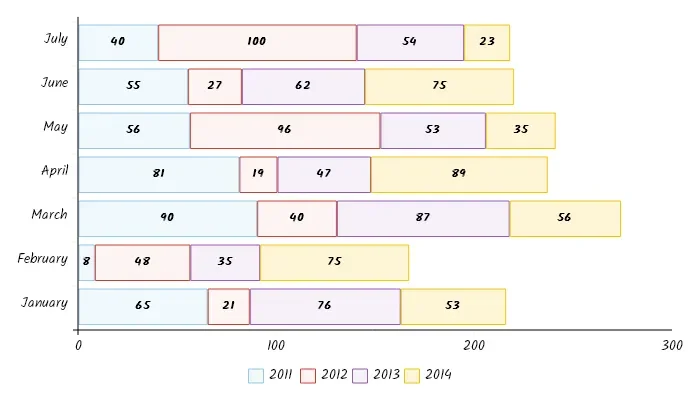
As of 24/05/2026, the digital ecosystem shows a sustained, high-volume demand for automated data-to-visual conversion tools. Two prominent platforms, Graph Maker and LiveGap Charts, have emerged as standard interfaces for non-specialists to encode raw data into conventional visual hierarchies. The surge in these tools reflects a structural shift: the "graph" is no longer a bespoke product of statistical software but a fluid, browser-based utility requiring zero technical overhead.
Functional Metrics of Visual Output
| Feature | Graph Maker | LiveGap |
|---|---|---|
| Primary Utility | Static image export | Animated/Interactive exports |
| Input Source | Manual / Form-based | Spreadsheet/Excel integration |
| Core Promise | Instant visual layout | Real-time templated editing |
The shift towards these low-barrier interfaces highlights a trend in how information is packaged for public consumption:
Universal Templates: Both services prioritize pre-configured aesthetics, reducing the variance in chart design across professional reports.
Immediate Portability: Emphasis is placed on direct export to images or web-ready code, facilitating rapid dissemination rather than deep analytical rigor.
Decoupled Data: These platforms separate the gathering of data from the display of it, allowing users to move figures between spreadsheet environments and high-polish graphic frames without formatting friction.
"Edit This Template," a phrase repeated forty times across the LiveGap interface, suggests that the contemporary mode of expression is less about creation from first principles and more about the curation of pre-existing schemas.
The Rise of the 'Visual Template'
The current demand for these tools indicates that data literacy is increasingly measured by the capacity to fit raw numbers into pre-defined categories like bar, pie, or 3D area charts. When visualization becomes an act of selecting a "template," the nuance of the underlying data is often constrained by the software’s design parameters.
Read More: Forza Horizon 6 release date and Japan setting details for 2026
Users are incentivized to value =speed and aesthetics= over the potential irregularities in their datasets. This mirrors a broader digital tendency: the demand for API-driven, plug-and-play visual solutions suggests that modern discourse prioritizes the clarity of the graphic container over the friction of raw analytical exploration. By simplifying the creation process, these tools remove the threshold of expertise, democratizing the appearance of statistical authority while simultaneously masking the complexity required to produce authentic, representative data models.